Find any app in two moves
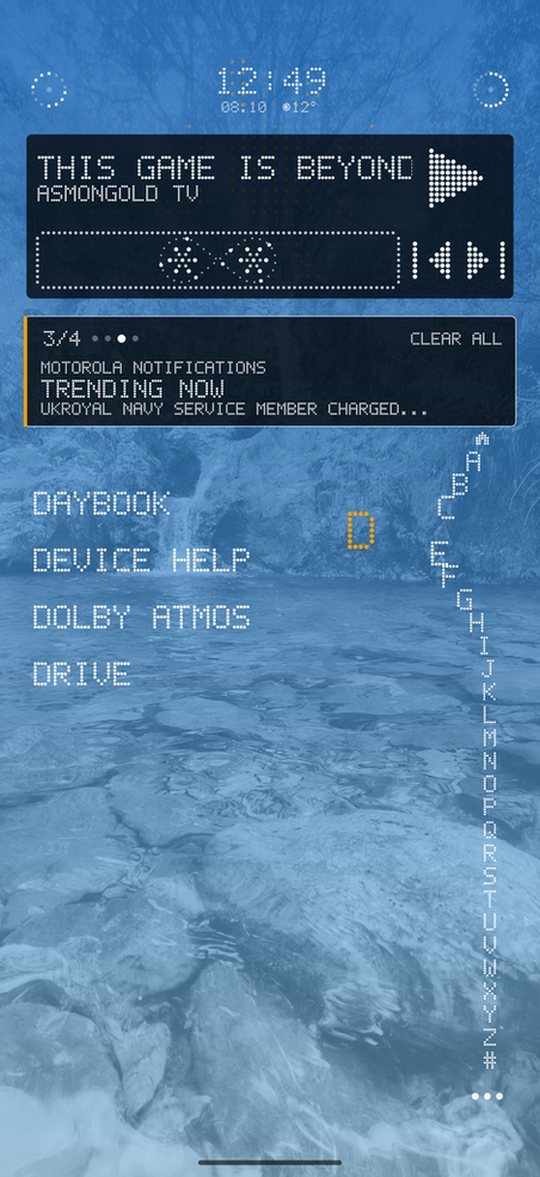
Press the wheel and slide round the rim: A at the top, Z at the end. The letters pop out under your finger and the list jumps to every app starting with it.
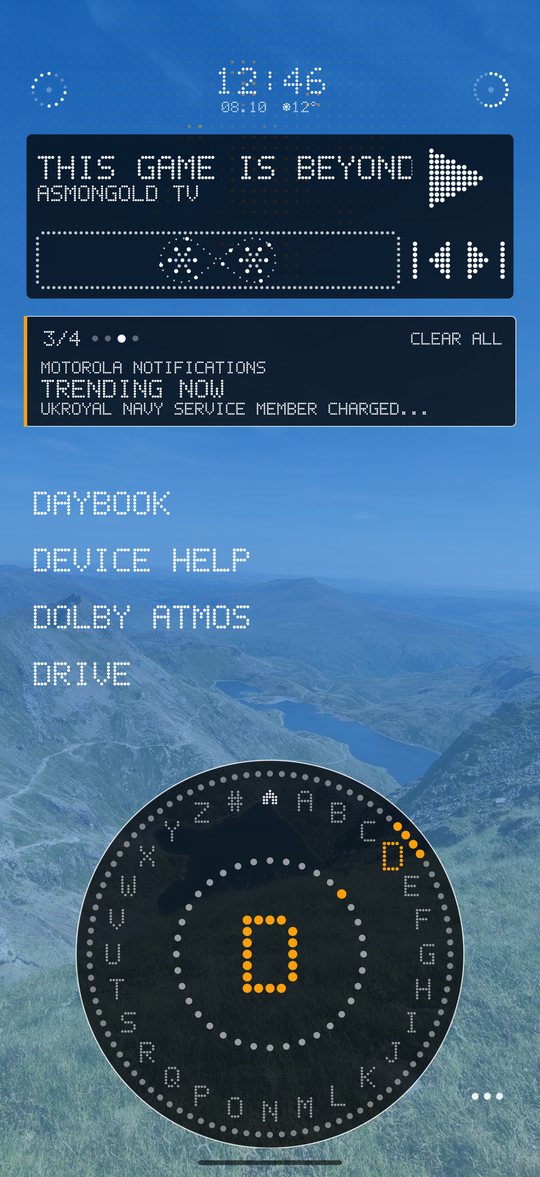
Sense Launcher is a minimalist Android launcher that shows only the apps you choose, finds any app in one slide of your thumb, and keeps a few small widgets close. No accounts, no ads, no tracking.
Android 8.0 and newer.
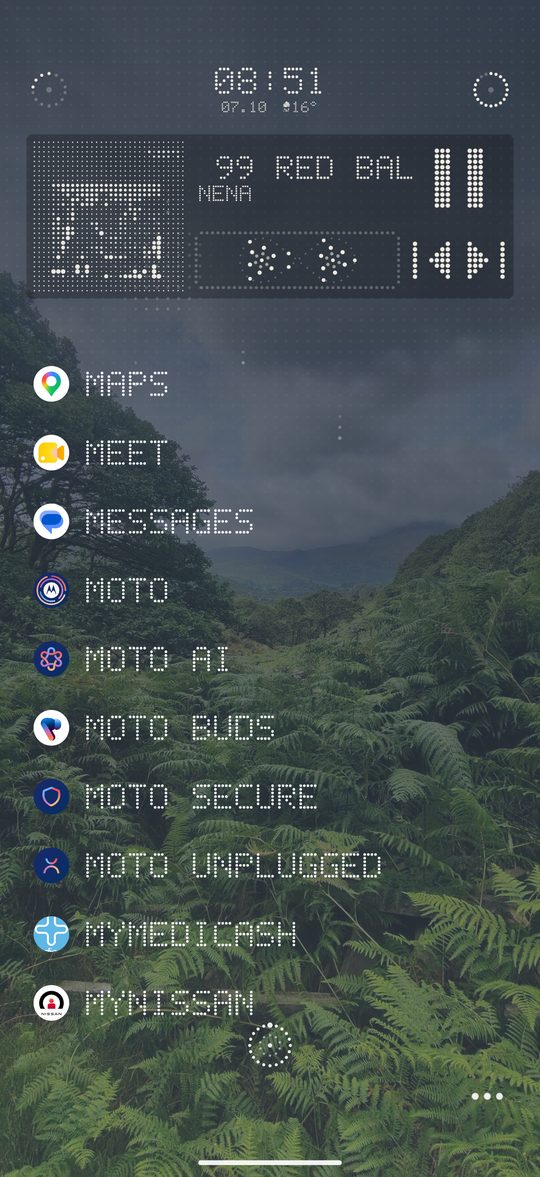
Press the wheel and slide round the rim: A at the top, Z at the end. The letters pop out under your finger and the list jumps to every app starting with it.
Slide into the little house in the middle to jump straight back to your favourites. The list slides away and your favourites slide in. It also returns by itself after a pause, but never while you are scrolling.
Use a strip down the edge, a row along the bottom or a rotating dial. Same idea every time: slide to a letter.
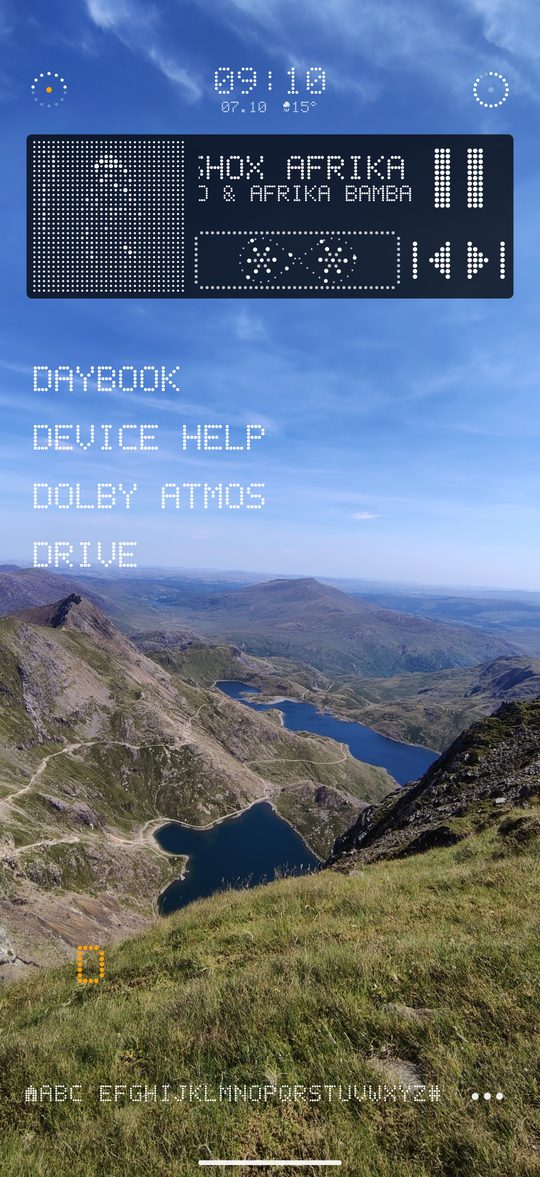
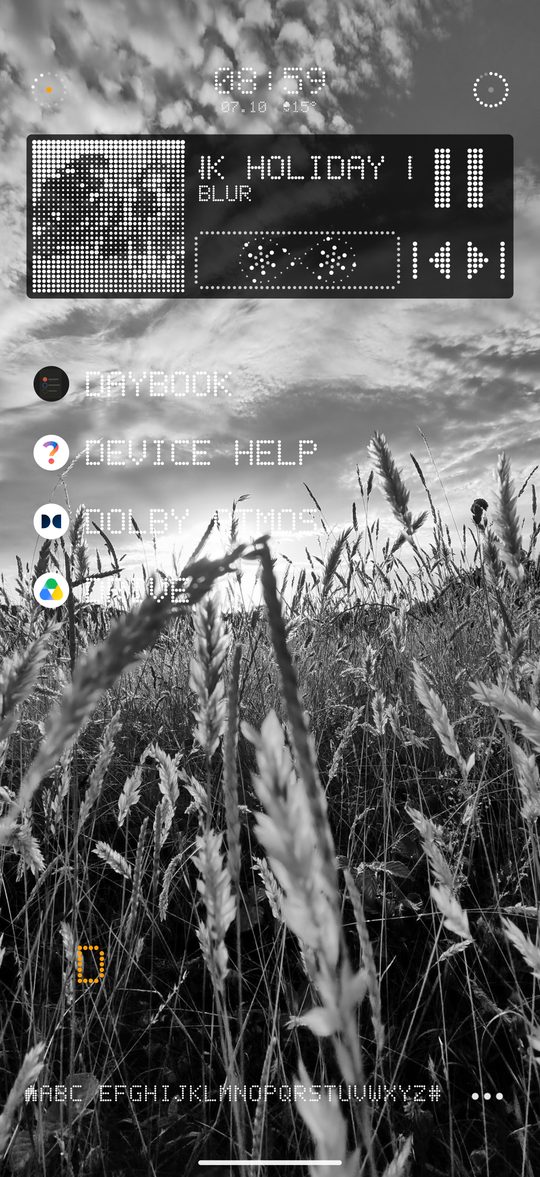
A halftone of the album art and a cassette whose reels spin at a new speed on every track. Skip and pause from the home screen, recolour it and fade its background.
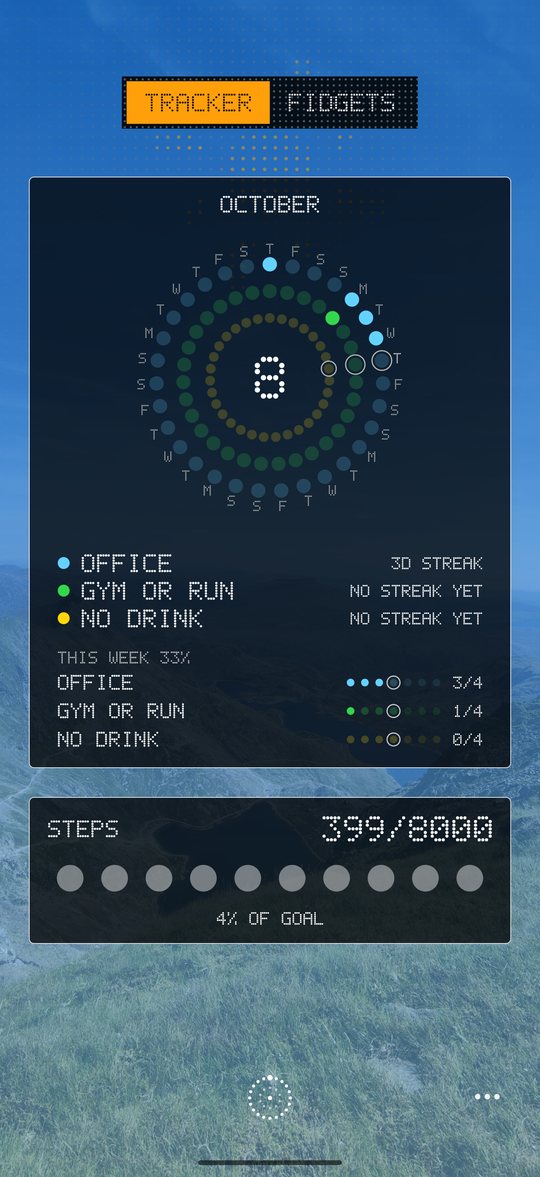
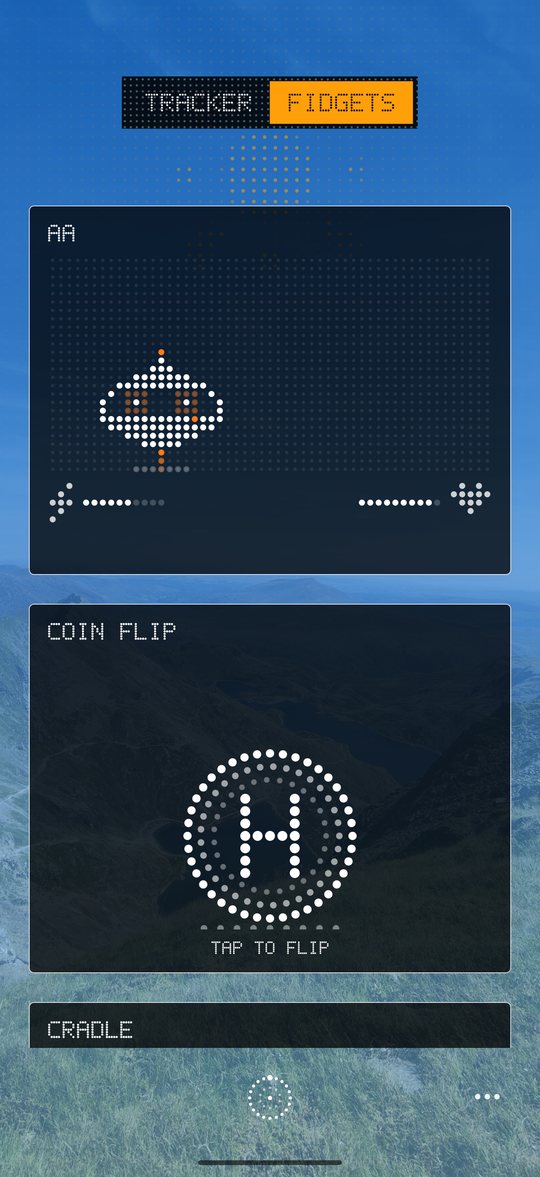
Habits, water, steps, a to-do list and a timer on the Tracker page, with little fidgets one swipe further. Tap the settings button at the bottom to reorder or hide cards, and to change the colour, transparency or goal of each one.
A little flying saucer made of dots drifts about its box, pulls faces and perks up when you pat it. Pick it up and the box turns into a space run: steer through the stars, dodge the rocks and alien UFOs, grab stars for bonus points and beat your best. Its energy follows your real battery, and it can never die.
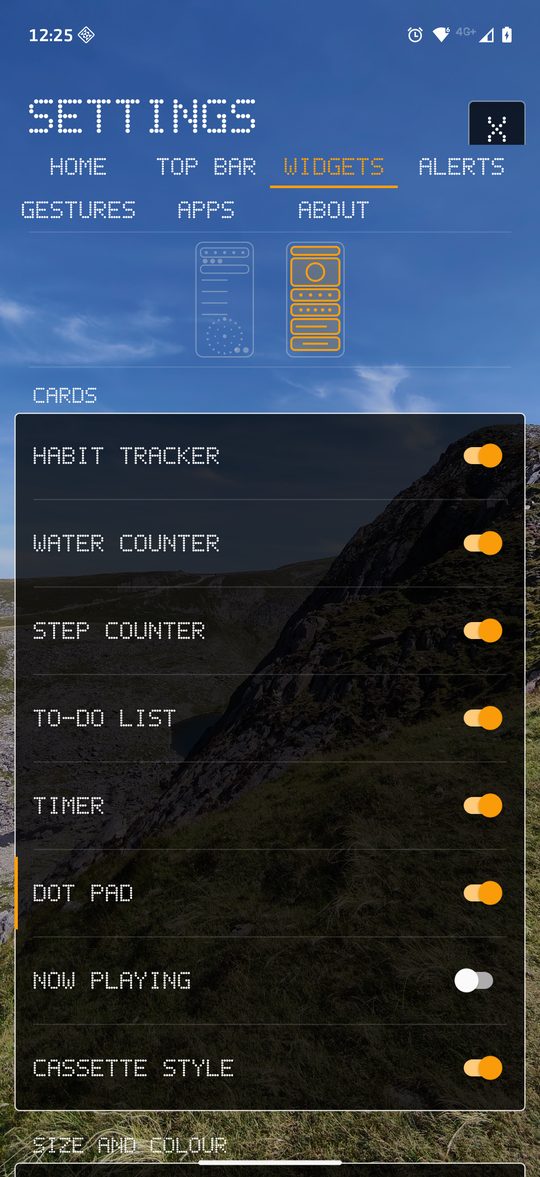
Accent colours, text size, high contrast, reduced motion, wallpaper and a dot-matrix background maker, all in Settings.
Choose the apps on your home list. Tap to open, hold and drag to reorder, hold and release for Uninstall or App info.
Network, clock, weather and battery in dots. Tap the weather to flip between the forecast, sunrise or sunset, and the moon phase.
The top arc is the signal of whichever connection is carrying your data, the bottom arc is Wi-Fi on its own, and the middle dot glows orange when your hotspot is on.
A ring of 20 dots fills clockwise as you charge. When the middle dot glows orange, you are plugged in.
One card for everything you missed. Slide to see the rest, tap to open, swipe up to dismiss.
Swipe left for your widgets page and down for quick settings. Turn either off in Settings.
Habits, to-dos, steps, settings and your app list stay on your device. Sense Launcher has no accounts and no ads, and it doesn't track you. The only thing it ever sends is a weather request.
No. There are no ads and no analytics or advertising code inside the app. Your habits, to-dos, steps, settings and app list stay on your device. The only thing it sends is a weather request.
No. There is nothing to sign up for. Install it, pick your apps and go.
Sense Launcher runs on Android 8.0 and newer.
Press the rotating wheel and slide round the rim: A at the top, Z at the end. The list jumps to every app starting with that letter. If you prefer, use a strip down the edge or a row along the bottom instead.
Accent colours, text size, high contrast, reduced motion, wallpaper, and a background maker. You can also recolour the music player and the widget cards.